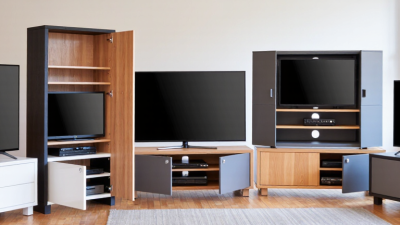
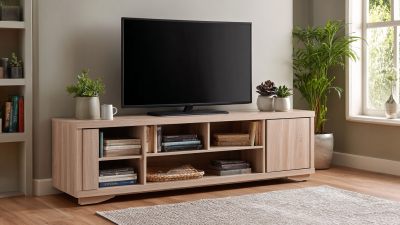
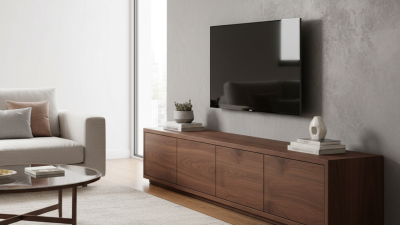
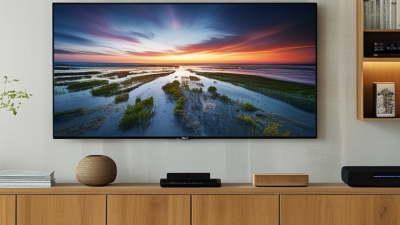
How to Choose the Best TV Stand with Closed Storage?
Choosing the right TV stand involves more than matching furniture to your screen. A well-designed Tv Stand Closed Storage can organize devices, hide cables, and reduce visual clutter. It should also support your television safely and suit your daily habits.
Begin by measuring the wall, viewing distance, and television base. Leave several inches around the screen for balance and ventilation. Check the stand’s weight capacity against your television, soundbar, and gaming equipment. Storage doors should open smoothly without striking nearby furniture. Adjustable shelves are especially useful for consoles, routers, remotes, and streaming boxes.
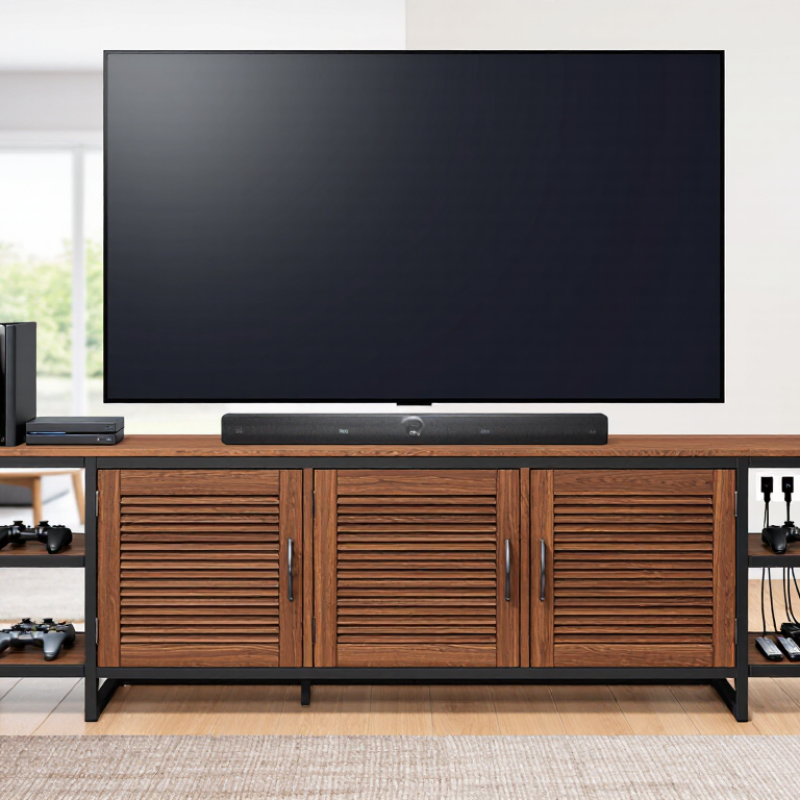
Cable management matters. Look for rear openings that keep wires separated and accessible. Closed compartments can protect electronics from dust, but poor ventilation may trap heat. Slatted doors or ventilation cutouts offer a practical solution. Solid wood, engineered wood, and metal each provide different levels of durability, style, and maintenance.
No stand is perfect.
From practical furniture testing, small details often determine long-term satisfaction. A beautiful cabinet may still disappoint if its shelves are shallow or its doors block infrared signals. I have also found that assembly quality can vary, even when product photographs look professional. Read the manufacturer’s specifications carefully, confirm return policies, and inspect hinges, finishes, and wall-clearance requirements before buying.
The best choice balances safety, storage, airflow, accessibility, and room design. It should make the space feel calmer without creating new problems behind closed doors.
Define TV Size and Viewing Distance with SMPTE’s 30° Viewing-Angle Guideline
Choosing a TV stand with closed storage starts with the screen, not the cabinet. SMPTE’s 30° viewing-angle guideline offers a practical reference for comfortable home viewing. It suggests that the screen should fill about 30 degrees of your horizontal vision.
Measure the TV’s actual screen width, not its diagonal size. Then multiply that width by about 1.87 to estimate the viewing distance. For example, a 65-inch 16:9 television is roughly 57 inches wide. Its recommended distance is about 106 inches, or 8.8 feet. Measure from your usual eye position to the screen surface. Do not measure from the wall.
Too close feels intense. Too far reduces detail. A quick test helps. Tape the screen’s width on the wall, then sit at your planned distance for ten minutes. Check subtitles, faces, and fast movement. My first estimate often feels wrong after real viewing, especially in rooms with strong daylight. That is worth reconsidering.
Once the distance works, select a closed-storage stand wider than the television. Leave several inches on each side for visual balance and stability. Closed doors can hide consoles, cables, and remotes, but devices still need airflow. Choose ventilation openings and rear cable access. Keep the stand height aligned with seated eye level, avoiding frequent upward head movement. Storage should support the viewing setup, not force the screen into an uncomfortable position.
Plan Closed-Storage Ventilation Around Manufacturer Clearance Specifications
Choosing a TV stand with closed storage is not only a style decision. It is a ventilation decision. The manufacturer’s clearance specifications should guide every measurement. Check the required space above, behind, and beside the television, receiver, and game console. Do not treat a cabinet’s advertised size as usable interior space. Shelves, doors, and cable panels reduce it.
Measure the equipment while connected, not while sitting alone on a table. Leave the specified gaps around vents and power components. A solid back panel can trap warm air, especially inside a narrow compartment. Consider rear openings, side vents, or a perforated door that supports steady airflow. Keep cables loose enough to avoid blocking vents. Never press equipment against the cabinet wall.
Heat needs somewhere to go.
In practice, I check the cabinet after several hours of normal use. The doors should not feel unusually hot, and the equipment should not shut down unexpectedly. A small temperature sensor can provide better evidence than touch alone. However, I once underestimated heat from a compact media device because its case felt cool at first. That mistake changed my measuring habits. Recheck clearances after adding a sound system, router, or storage box. If the manual gives different requirements, follow the stricter specification. A neat cabinet is useful, but safe airflow matters more.
Assess Cable Routing and Heat Management Using UL 1678 Safety Guidance
A closed TV stand should manage cables and heat, not merely hide them. Check whether powered features fall within UL 1678’s scope and certification requirements. Do not treat the standard as a replacement for local electrical codes or installation instructions.
Look for rear openings with smooth grommets. They should prevent sharp-edge damage and cable pinching. Keep power cords separate from signal cables where practical. Leave enough bend room behind plugs and power adapters. Never compress a power brick inside a tightly packed cabinet. Heat needs an exit path. Use ventilated panels, clear air gaps, and removable access sections. A small thermometer can reveal rising temperatures during a three-hour viewing session. I still inspect this after installation; attractive cabinets can trap heat unexpectedly.
The risk deserves attention.
NFPA’s Home Fires Involving Electrical Distribution and Lighting Equipment report estimated 31,647 U.S. home fires from 2015 to 2019. Those fires caused 400 civilian deaths, 1,120 injuries, and about $1.3 billion in direct property damage. These figures do not prove that TV furniture caused the fires. They do justify careful routing and inspection. Follow UL 1678 guidance where applicable, especially for built-in electrical parts, strain relief, ventilation, and accessible connections. If the cabinet becomes warm, smells unusual, or blocks a device’s vents, stop using it and reassess the layout. Neat is not always safe.
Verify Stability, Tip Resistance, and Structural Durability Before Buying
A closed-storage TV stand should feel immovable before it looks attractive. In my furniture inspections, I press gently against the front corners and side panels. Excessive rocking is an immediate warning. Check whether the base sits flat on the floor, especially over rugs or uneven boards. Solid connections matter more than decorative surfaces. Look for tight dowels, reinforced joints, and panels without splits around screw holes. A heavy television can expose small weaknesses quickly.
Tip: Test the anti-tip system before purchase. Confirm that a wall-anchoring strap or bracket is included and suits your wall type. A cabinet must not rely on weight alone. Open each door fully, then pull a drawer outward with moderate force. The unit should remain balanced, not slide or lift at the front. Keep heavy equipment low, and avoid loading shelves beyond the stated capacity. Cable openings should not weaken the rear panel. This detail is easy to overlook.
Structural durability also depends on moisture, heat, and daily movement. Inspect the rear surface, shelf supports, hinges, and floor glides. Metal hardware should operate smoothly without sharp edges or loose play. Ask for tested weight limits and clear assembly instructions. If the instructions seem vague, pause before buying. I have learned that attractive storage can hide poor engineering. Recheck every fastener after assembly, because a stable stand can become unsafe when one joint loosens.