Leave Your Message

7 Tips for Choosing a Modern Style TV Stand

Choosing a Modern Style Tv Stand can seem simple until the television, room, and everyday clutter all compete for space. A sleek finish may look appealing in a showroom, yet feel awkward beside a low sofa or narrow walkway. Measurements matter. Before shopping, check your TV’s width, available wall space, and the stand’s stated load capacity. A few minutes with a tape measure can prevent a costly mismatch.

This guide explores seven practical points: proportion, materials, storage, cable management, stability, finish, and budget. Look closely at door hinges, shelf spacing, and openings for cables; these details shape daily use more than a polished product photo suggests. Consider how game consoles, remotes, and small speakers will fit. Some rooms need closed storage, while others benefit from open shelves. There is no single right layout. Even careful planning can miss something, so leave a little breathing room around devices and walkways. The aim is not to chase a trend, but to find a stand that suits your viewing habits and holds up to regular use.
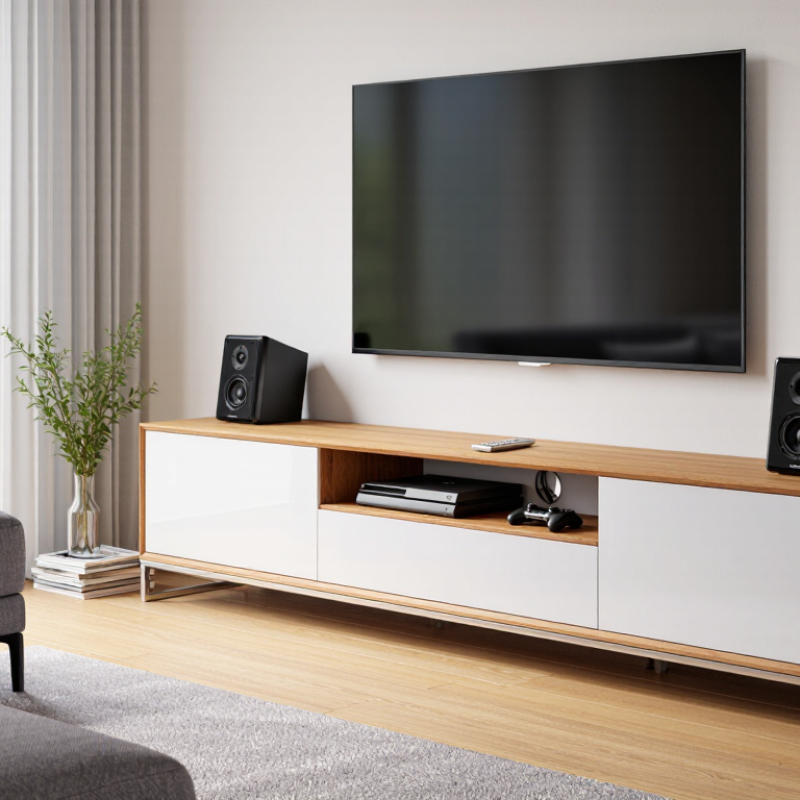
7 Tips for Choosing a Modern Style TV Stand

Measure the Room and Identify Your Storage Needs

Measure the room before choosing a modern style TV stand. Note the wall’s width, nearby doorways, and the distance from the sofa to the screen. A stand that looks compact online may dominate a small room. Leave breathing room. Measure the television, too, including its feet, and check that the stand is wider than the screen for a balanced fit. Allow space for ventilation and access to outlets, rather than pushing furniture tightly against every wall.

Next, decide what needs a home. Count your streaming devices, game consoles, remotes, and anything else you use regularly. Closed cabinets can hide visual clutter, while open shelves make frequently used devices easier to reach. Check shelf height and depth against your equipment’s measurements; a console that barely fits can block airflow or make cables awkward to manage. If you store games, books, or baskets, measure those items as well. A small measuring mistake is easy to make, and I would recheck the numbers before ordering. It feels fussy. But it can save a frustrating return or a stand that leaves no room for the things you actually own.
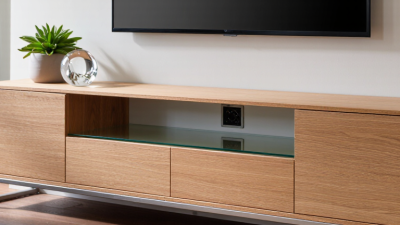
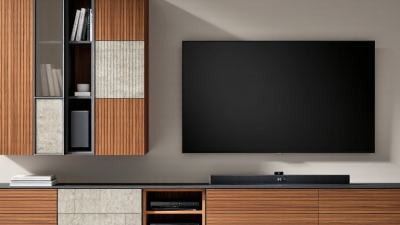
Compare Modern TV Stand Shapes, Materials, and Finishes

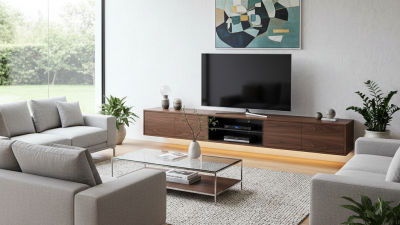
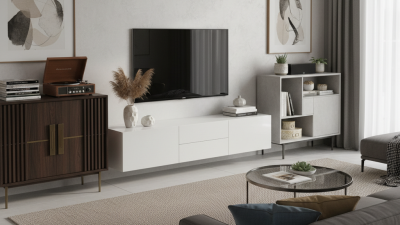
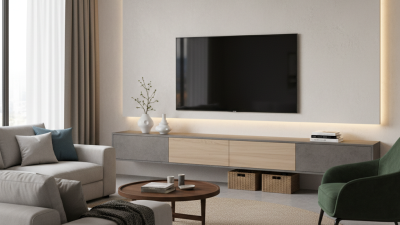
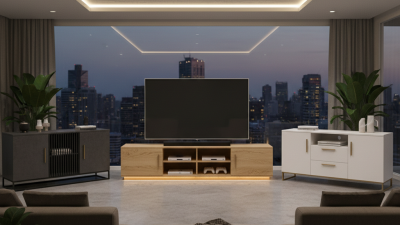
Modern TV stands work best when their shape fits both the screen and the room. A long, low console can visually widen a narrow wall, while a floating unit leaves floor space visible. Curved corners soften a boxy room, but open shelving exposes cables and dust. Small room? Measure the screen, wall, and walking path before choosing.

Material changes the look and the upkeep. Solid wood shows natural grain and can be refinished, though it may cost more. Veneered or engineered panels offer consistent surfaces; inspect edge banding and weight limits. Metal frames feel lighter, while glass shelves keep a compact stand from looking bulky. Grand View Research valued the global furniture market at US$677.09 billion in 2023 and forecast 5.9% annual growth through 2030. That figure describes the broad market, not TV-stand preferences, but it reflects a crowded range of furniture choices.

Finish affects daily use more than showroom photos suggest. Matte surfaces tend to hide fingerprints better than glossy ones, while dark finishes can make dust stand out. Worth checking. Compare swatches in daylight and evening light, since warm bulbs can shift wood tones. Also check ventilation around devices and leave room for cables. A perfectly matched finish is not always the practical choice; I might still choose one that shows a little wear if its shape and storage fit the room.

7 Tips for Choosing a Modern Style TV Stand

Compare Modern TV Stand Shapes, Materials, and Finishes

Tip Options to Compare What to Check Practical Guidance
1. Choose a shape that suits the room Rectangular, corner, floating, or low-profile designs Room layout, wall space, viewing position, and nearby doors or walkways A rectangular stand suits many layouts. A corner unit can use an otherwise awkward corner. A floating stand frees floor space but needs secure wall mounting.
2. Match the stand to your TV size Narrow, TV-width, or wider-than-TV designs Measure the TV’s actual width and check the stand’s stated top dimensions and weight capacity. Choose a top that provides stable support for the TV’s feet or base. A stand wider than the screen can also leave room for small accessories.
3. Consider viewing height Low-profile consoles, standard-height cabinets, or wall-mounted units Seat height, viewing distance, and the TV’s screen position when installed Check how the screen will sit relative to seated eye level. A low-profile stand may suit a low sofa, while a taller unit may work better with higher seating.
4. Compare materials Solid wood, wood veneer, engineered wood, metal, or glass Construction, finish durability, cleaning needs, and the TV’s weight Solid wood has visible natural grain; veneer gives a real-wood surface over a core; engineered wood is often used for budget-conscious designs. Metal and glass create a lighter visual look but still need a suitable load rating.
5. Select a finish for your space Natural wood tones, painted matte finishes, glossy surfaces, or metal finishes Existing furniture colors, room lighting, fingerprints, dust, and cleaning instructions Matte finishes tend to show fewer reflections, while glossy finishes reflect more light. Wood tones can add warmth; check a sample in the room’s lighting when possible.
6. Plan storage and ventilation Open shelves, closed cabinets, drawers, or a combination Device dimensions, remote-control access, airflow, and the number of items to store Measure devices before choosing compartments. Leave the ventilation space recommended by each device’s manufacturer, and avoid enclosing heat-producing equipment without adequate airflow.
7. Check cables and stability Built-in cable openings, open backs, adjustable feet, or wall anchoring Outlet location, cable routes, floor level, stand assembly, and tip-over prevention Look for access to power and connection cables without pinching them. Follow the stand and TV instructions for assembly, weight limits, and anchoring; secure tall furniture where appropriate.

Before buying: Verify the stand’s dimensions, weight capacity, assembly requirements, and care instructions against the product specifications and your room measurements.

Check Stand Dimensions Against Your TV and Viewing Setup

Tip 1: Measure the TV’s actual width, not just its diagonal screen size. Check the manufacturer’s specifications or measure from edge to edge. Aim for a stand wider than the screen, leaving a few inches on each side. That extra surface creates visual balance and room for small speakers. A narrow stand can look cramped, even when it technically supports the TV.

Tip 2: Match the stand height to your usual viewing position. Sit on your sofa and note where your eyes naturally land; the screen’s center should be near that level. Measure the stand’s height before buying, then account for the TV’s feet or mount. Small differences matter. I’d still double-check with masking tape on the wall, because a measurement can feel different in the room.

Tip 3: Check depth and clearance against your setup. Measure the TV feet, sound equipment, and any device that needs space, then compare those figures with the usable shelf depth. Leave room for cables to bend without being pinched, and avoid blocking vents. Measure the path from the doorway, too. It’s easy to overlook that detail when the stand fits the wall perfectly.

Evaluate Cable Management, Ventilation, and Stability

A modern TV stand should hide cables without trapping heat. Look for rear cutouts with smooth edges, then route power and signal cords separately where possible. Keep plugs visible and cords loose; a tight bend behind a heavy cabinet can damage insulation. NFPA’s report on electrical distribution and lighting equipment recorded an annual average of 32,620 U.S. home structure fires from 2015 to 2019. That figure covers many causes, not TV stands alone, but it makes tidy, undamaged wiring worth checking. Small detail. Leave ventilation openings clear, and follow the television and component makers’ clearance guidance. A sealed cabinet may look cleaner, yet warm air can build up around receivers and game consoles.

Stability deserves equal attention. Check the stand’s stated load limit against the TV’s weight, and make sure its feet sit flat on the floor. A broad base helps, but it is not a substitute for secure anchoring when the design allows it. The U.S. Consumer Product Safety Commission reported 581 tip-over deaths involving televisions, furniture, or appliances from 2000 through 2021; 472 victims were children. This is not a stand-specific risk estimate. Still, it is a sobering reason to keep heavy items low and avoid climbing hazards nearby. I would measure the wall route twice before buying; cables often need more slack than the product photos suggest. And one imperfect detail: a tidy setup can still be hard to service later. Check that you can reach the plugs.

Balance Build Quality, Assembly Needs, and Budget

A modern TV stand should feel sturdy before it looks stylish. Check the listed weight capacity against your television and any equipment you plan to store. A wobbly frame or thin shelf can become annoying during everyday use. Small details matter. Look at the joints, drawer movement, and finish around the edges, where wear may show first. Solid wood can last well, but engineered panels may suit a tighter budget if their edges are sealed and the frame feels stable. Neither material guarantees quality on its own.

Assembly is part of the real cost. Read the instructions before buying, and check whether the stand requires two people or wall anchoring. Measure the room, doorway, and TV width. Measure twice. A stand that fits the screen may still crowd a narrow living room. Budget for delivery or tools if needed, and avoid spending every dollar on appearance alone. Compare the total price with the storage, cable openings, and sturdiness you actually need. It is easy to overvalue a sleek finish; I would give more weight to a stable base and clear assembly steps. Even careful planning misses things sometimes, so leave a little room in your budget and schedule.

7 Tips for Choosing a Modern Style TV Stand — Balance Build Quality, Assembly Needs, and Budget

Start with the right stand width, then compare build quality, assembly requirements, storage, cable management, room clearance, style, and price.

Estimated stand widths are about 8 inches wider than the screen (roughly 4 inches per side). Screen widths are calculated for a 16:9 display; check your TV’s actual dimensions and the stand’s load rating before buying.