Leave Your Message

What Are the Top Slim Media Cabinet Types in 2026?

A Slim Media Cabinet can make a small living room feel calmer without hiding the equipment you use every day. In 2026, the best type depends on more than appearance. Room width, screen size, storage needs, and cable access all affect the right choice. A narrow freestanding cabinet may suit renters, while a wall-mounted design can free floor space. Corner models use awkward gaps, and modular units offer room to adapt as equipment changes. Small differences matter.

This guide compares the main slim media cabinet types by their practical strengths and trade-offs. It looks at materials, door styles, ventilation, shelf capacity, and how easily cables reach a power outlet. A cabinet that looks sleek in a product photo may feel cramped once a receiver, console, and router are inside. Measure first. Check the usable interior depth, not only the outside dimensions. Consider whether doors block remote signals or whether open shelves collect dust. These details are easy to overlook, and some choices involve compromise: a slimmer profile can mean less storage or tighter airflow. There is no single best option for every home. The following overview helps readers match cabinet styles to real rooms, equipment, and everyday routines.
What Are the Top Slim Media Cabinet Types in 2026?

Wall-Mounted Slim Media Cabinets for Space-Saving Storage

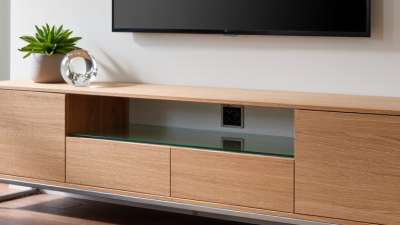
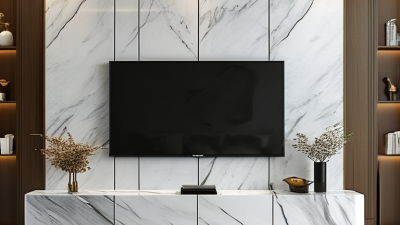
Wall-mounted slim media cabinets keep floor space open and make compact living rooms feel less crowded. A floating cabinet also leaves room for a robot vacuum or storage baskets underneath. Measure the TV, plug heads, and streaming devices before choosing a depth; a cabinet that looks sleek online can be too shallow for real cables. Measure twice. Check the wall construction and cabinet load rating, then fasten the unit to suitable structural supports. Hide cables in a planned route, but leave ventilation around receivers and game consoles.

Common options include a simple floating box, a slim cabinet with sliding doors, and a modular wall-mounted unit with separate shelves. Sliding doors avoid swing space, while open shelves make devices easier to reach. Houzz’s 2024 U.S. Houzz & Home Study reported a median renovation spend of $24,000 for projects completed in 2023. That figure is not specific to media storage, but it reflects the real investment homeowners make in functional upgrades. Choose durable hardware and a finish that tolerates everyday fingerprints. A seamless front looks tidy, yet it can make cables harder to change or devices harder to cool. That trade-off is easy to miss.

Freestanding Narrow Media Cabinets for Flexible Placement

Freestanding narrow media cabinets work well when a room needs storage without a fixed installation. They can sit beside a sofa, under a wall-mounted screen, or in a spare-room corner. Open-shelf designs keep consoles and routers easy to reach, while closed-door cabinets hide cables and game controllers. Drawer-and-shelf combinations offer both, though drawers can make small cabinets feel heavier than expected. Measure the screen, wall, and walking path before choosing. A cabinet that looks slim online may still interrupt a tight doorway.

For flexible placement, check the cabinet’s depth, cord openings, and ventilation. A router or streaming device tucked behind a solid door may run warm, so look for rear gaps or ventilated panels. Leave enough space to bend cables without pinching them. Small details matter. Adjustable feet help on uneven floors, and a tall, narrow unit may need wall restraint if children or pets are nearby. Move it before loading. That sounds obvious, but a cabinet filled with electronics is awkward to shift. Wood-look finishes can soften a living room, while metal frames often feel lighter visually; neither guarantees easy cleaning or sturdy construction. Read the listed weight capacity, then consider how much equipment you actually use.

What Are the Top Slim Media Cabinet Types in 2026? – Freestanding Narrow Media Cabinets for Flexible Placement

Cabinet Type Typical Dimensions (W × D × H) Storage Layout Best For Placement Considerations
Slim tower cabinet 12–18 × 14–20 × 30–48 in
(30–46 × 36–51 × 76–122 cm)
Vertical shelves, often with a door or open compartments Small rooms that need vertical storage for media accessories or compact components Uses little floor width; check shelf height and ventilation for electronic equipment.
Narrow open-shelf cabinet 18–30 × 12–16 × 20–30 in
(46–76 × 30–41 × 51–76 cm)
Two or more exposed shelves for easy access Streaming devices, game consoles, and components that need airflow Cables and devices remain visible; allow clearance around equipment and plugs.
Narrow closed-door cabinet 18–30 × 12–16 × 24–36 in
(46–76 × 30–41 × 61–91 cm)
Concealed shelves behind hinged or sliding doors Keeping remotes, cables, and accessories out of sight Measure door swing or sliding clearance; confirm that enclosed electronics can ventilate.
Tall freestanding media cabinet 16–24 × 14–20 × 48–72 in
(41–61 × 36–51 × 122–183 cm)
Several vertical compartments, sometimes combining open and closed storage Making use of unused wall height in apartments or compact living rooms Check stability and any anti-tip requirements, especially in homes with children or pets.
Freestanding cabinet with casters 16–28 × 12–18 × 20–32 in
(41–71 × 30–46 × 51–81 cm)
Open shelves or a mix of shelves and a small cabinet Rooms where equipment or storage needs to move occasionally Look for locking casters and check the loaded weight limit before moving it.

Dimensions are indicative ranges for common freestanding furniture formats; actual measurements, shelf clearances, and weight limits vary by design. Measure the available space and equipment before choosing a cabinet.

Corner Slim Media Cabinets for Compact Room Layouts

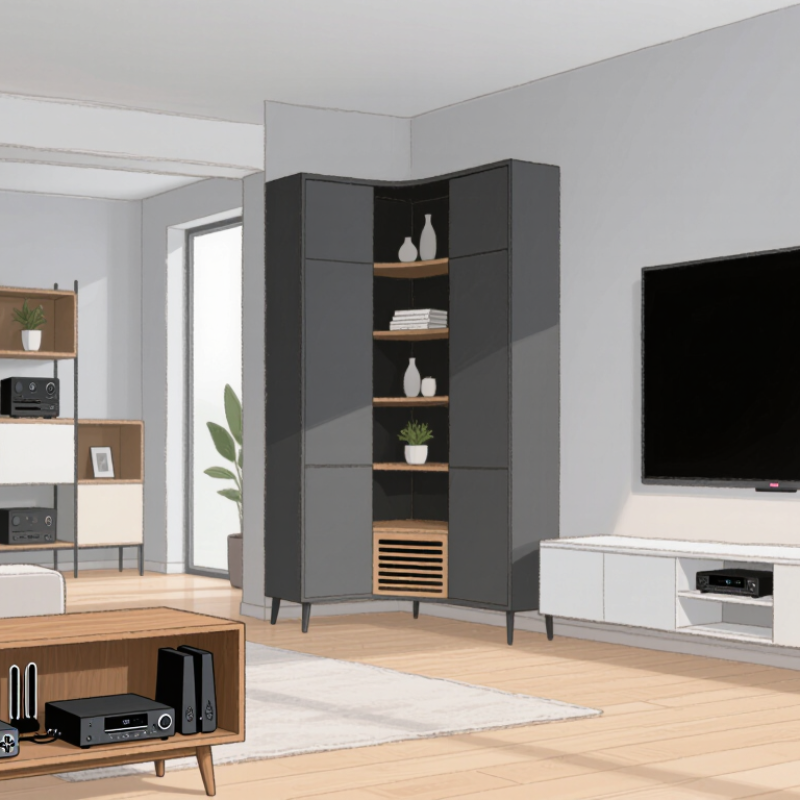
Corner slim media cabinets make awkward room corners useful without taking over the floor. In 2026, look for a footprint that fits the wall angle while leaving enough space for doors, drawers, and nearby seating. Measure twice. A cabinet that looks narrow online may still block a walkway when its doors open. For a television setup, check the cabinet’s depth against the screen stand and allow room behind it for cables and ventilation. A few extra centimeters can prevent cramped connections and tangled wires.

Choose a stable cabinet with adjustable shelves if your devices vary in size. Open-backed sections can help with cable access, while closed doors keep small rooms looking calmer. Check the stated load limit before placing a television or heavy equipment on top; a slim silhouette does not guarantee strong support. In a compact layout, rounded edges may also be easier to pass, though they can reduce usable shelf width. It matters. One easy-to-miss detail is the nearby outlet: a cabinet can fit the corner perfectly and still make the plug difficult to reach. Measure the outlet position, baseboards, and available clearance before ordering. A little planning helps, but room corners are rarely perfectly square, so leave some tolerance.

Slim Media Cabinets with Sliding Doors for Easy Access

Slim media cabinets with sliding doors suit narrow living rooms, apartments, and tight walkways. Unlike hinged doors, their panels travel across the cabinet face, so they do not swing into a sofa or walking path. That makes daily access easier when space is limited. Measure the cabinet depth, screen connections, and door clearance before buying. A sliding panel can still block a device if the interior layout is poorly planned.

The National Association of Home Builders’ 2024 What Home Buyers Really Want report examines home features buyers value, including storage and organization needs. It does not assess media cabinets specifically, so treat it as context, not proof that sliding doors are universally better. For practical use, look for smooth-running tracks, reachable handles, and ventilation around warm electronics. A shallow shelf for remotes helps. Check that doors can open far enough to reach every device.

Details matter. Track dust can make a quiet door gritty, and a wide panel may feel awkward in a cramped corner. Measure twice. Grand View Research estimated the global furniture market at about $677 billion in 2024, with projected growth through 2030. That broad market figure signals continued demand for home furnishings, but says nothing specific about sliding-door media storage. The honest test is simple: stand where you will use the cabinet and check whether you can reach cables without moving furniture.

Modular Slim Media Cabinets for Expandable Media Setups

What Are the Top Slim Media Cabinet Types in 2026?

Modular Slim Media Cabinets for Expandable Media Setups

A modular slim media cabinet works well when a media setup may grow over time. Start with a low central unit for a television, streaming device, and game console. Add narrow side modules later for books, speakers, or extra equipment. This approach can suit apartments and shared living rooms where floor space is limited. Small footprint. More options.

Before choosing modules, measure the wall, skirting boards, and nearby outlets. A cabinet that looks slim online may still block a door or leave cables squeezed behind it. Check each section’s width, depth, shelf height, and weight capacity. Open-backed compartments can make cable changes easier, while ventilation gaps help prevent equipment from overheating. Leave room to reach plugs. It matters.

Expandable furniture is not always seamless. Different modules may have slightly different finishes, and extra sections can make a small room feel crowded. Check how units connect and whether they can be anchored securely, especially on uneven floors. Keep frequently used devices on accessible shelves, and reserve closed storage for items that need less airflow. Measure twice; that part is easy to overlook.