Leave Your Message

2026 Top Center Mount TV Stand Types for Global Buyers

Choosing the right Center Mount Tv Stand has become more complex for global buyers in 2026. Screen sizes are increasing, while living spaces are becoming tighter. A stable stand must support weight, improve viewing height, and manage cables without creating visual clutter.

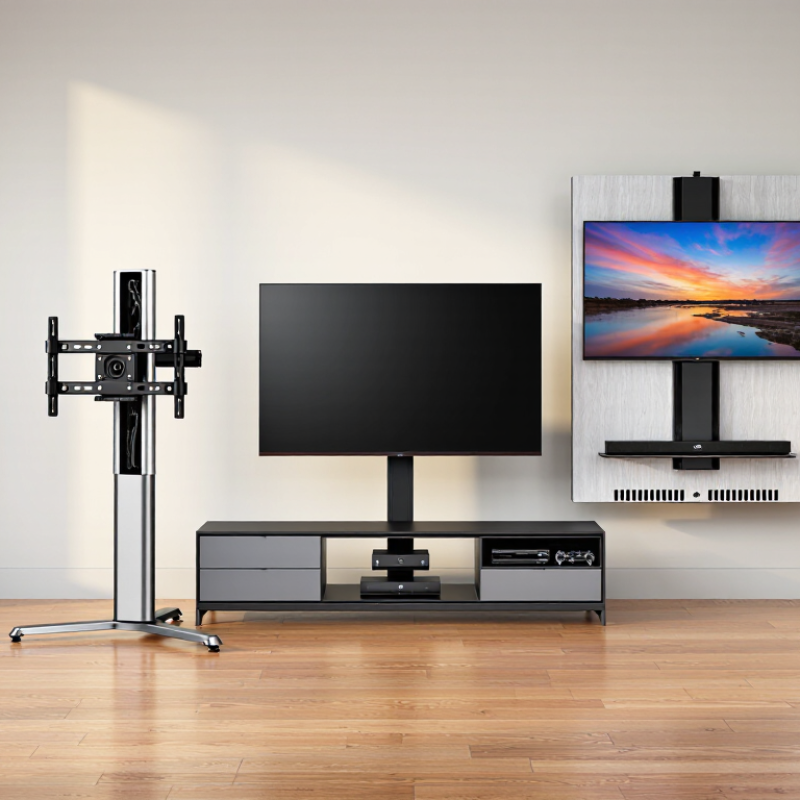
This guide examines popular types, including pedestal stands, swivel-base models, storage consoles, floating-inspired designs, and adjustable universal mounts. Each option serves a different room. A compact apartment may need a narrow steel base. A family room may benefit from drawers, shelves, and hidden cable channels. Buyers should check television weight, VESA compatibility, base dimensions, mounting hardware, and regional plug or assembly requirements before ordering.

Details matter.

Dieter Rams, a respected industrial design authority, said, “Good design is as little design as possible.” That principle remains useful when comparing a Center Mount Tv Stand. The strongest choice may not be the largest or most decorated model. It should feel steady, align naturally with the screen, and leave enough clearance for soundbars, game consoles, and ventilation.

However, no universal design fits every buyer. Product descriptions can omit rear clearance or provide confusing load ratings. Some attractive finishes may scratch easily during international shipping. These weaknesses deserve attention, not polished assumptions. Real-world selection should combine manufacturer specifications, verified customer feedback, and careful room measurements.

This overview helps buyers compare stand types with practical judgment. It also recognizes an uncomfortable truth: a cheaper stand can become expensive after returns, damaged furniture, or poor installation. Reliable decisions begin with evidence, not appearance alone.
2026 Top Center Mount TV Stand Types for Global Buyers

Center-Mount TV Stand Basics: VESA FDMI Patterns and Load Ratings

A center-mount TV stand supports the display through one central bracket or column. Its key measurement is the VESA FDMI pattern, shown as horizontal by vertical hole spacing in millimeters. Common patterns include 100×100, 200×200, 400×200, and 400×400. Larger screens may use 600×400, but size alone does not confirm compatibility.

Check the television manual and measure the mounting holes before ordering. The bracket must match both dimensions, while its screws must fit the correct thread size and depth. M4, M6, and M8 screws are common, but guessing can damage internal components. I have seen buyers focus on screen size and overlook a 200×100 pattern.

Load ratings need equal attention. Compare the stand’s rated capacity with the television’s actual weight, not its shipping weight. A practical margin is wise, especially for a swivel or rotating center mount. Movement increases stress on the column and base. The floor also matters; a narrow stand may feel stable on a hard surface but wobble on thick carpet.

Use the manufacturer’s rating as a technical reference, not a guarantee for every setup. Recheck bolts after installation. Slight looseness can appear after several days. My own selection process is not flawless: room layout, cable pressure, and uneven flooring sometimes change the result. A careful fit test remains valuable.

Fixed-Pedestal Stands: UL 1678 Stability and Tip-Resistance Criteria

Fixed-pedestal TV stands offer a clean, centered viewing position without wheels or moving joints. For global buyers, stability matters more than appearance. UL 1678 provides a recognized framework for evaluating television and audio-video stands, including construction, stability, and tip-resistance performance. Requirements can vary by product category and market, so buyers should confirm the applicable edition and certification scope.

In practical testing, the stand should remain stable under its intended load and resist tipping when force is applied near the upper structure. A low center of gravity helps. Wide feet, rigid joints, and accurately fitted panels also reduce movement. Check the stated maximum screen size, supported weight, pedestal dimensions, and floor-contact design. Small gaps can become noticeable during daily use.

Look closely at the test documentation. It should identify the tested model, loading conditions, and evaluation standard. A pass report is useful, but it is not a substitute for careful installation. Place the unit on a level surface, tighten every fastener, and use included restraints when recommended. Do not ignore an uneven floor. It changes real-world behavior.

Laboratory performance cannot predict every household situation. Children pulling a cable, a pet brushing the cabinet, or a heavy soundbar placed too high can alter stability. This is an area where our judgment must remain cautious. Buyers should compare measured performance, installation guidance, and local safety requirements before approving large-volume orders.

Swivel TV Stands: Viewing Angles, Rotation Ranges, and Safety Tests

Swivel TV stands are becoming a practical choice for global buyers in 2026. A center-mounted design keeps the screen balanced above the cabinet. It also reduces glare when seating areas face different directions. In real homes, a rotation range of about 30 to 60 degrees often works well. Wider movement can help open-plan rooms, but it may increase tipping pressure.

Check the stand’s tested load capacity, base width, and mounting pattern before purchase. A reliable model should include locking hardware and clear installation instructions.

During a basic safety check, place the television at its maximum rotation angle. Watch for rocking, cable tension, or uneven contact with the floor. Pull-testing the mount gently can reveal loose screws, although this is not a certified laboratory test. I would not trust appearance alone.

Tips: Measure the screen height from your usual eye level. Leave enough space for cables to bend naturally. Test rotation slowly after installation. If children or pets use the room, add an approved anti-tip strap. Also, remember that heavier screens need stronger support. This detail is easy to miss. A rotating stand may look stable, yet a narrow base can still fail during accidental contact. Manufacturers should publish test methods, not only maximum weight claims. Buyers should compare those details carefully, because advertised figures are not always directly comparable.

Height-Adjustable Stands: Ergonomics and IEC 62368-1 Requirements

Height-adjustable center-mount TV stands are becoming practical choices for global buyers in 2026. They support viewing comfort in living rooms, meeting spaces, and hospitality areas. A suitable stand should move smoothly, remain stable, and hold the display without noticeable sway.

Ergonomics starts with eye level. When seated, the screen center should usually align near the viewer’s eye line. A range of 100 to 150 millimeters can accommodate different chairs and users. Test the mechanism with the actual television installed. Empty-frame testing can mislead. Check the locking system, cable slack, and clearance around the moving column. Fingers should not reach exposed pinch points. Small details matter.

IEC 62368-1 focuses on safety for audio, video, information, and communication technology equipment. It is not simply a furniture approval. When a stand includes powered lifting parts, control units, or integrated media equipment, designers should assess electrical insulation, abnormal operation, mechanical hazards, and stability within the complete system. Keep power cables away from moving joints. Provide clear installation instructions and secure anchoring where needed. A 30-second movement test is not enough. Repeated cycling can reveal loosened fasteners or uneven travel. Buyers should request applicable test evidence, load limits, and maintenance guidance. Some installations still overlook wall conditions and floor unevenness. That deserves a second review.

2026 Top Center Mount TV Stand Types for Global Buyers - Height-Adjustable Stands: Ergonomics and IEC 62368-1 Requirements

Typical market ranges are indicative design benchmarks. Final suitability, load rating, installation method, and conformity must be verified against the specific product, display, and destination-market requirements.
Stand Type Typical Center-Mount Configuration Typical Height Adjustment Common TV Size Range Typical Load Range Best Use Case Main Ergonomic Benefit Key Safety Considerations
Manual Height-Adjustable Pedestal Single central column with a VESA-compatible mounting plate and a weighted floor base Approximately 100–250 mm through telescoping holes or a hand-adjusted collar 32–65 in Approximately 25–45 kg, depending on construction Living rooms, bedrooms, classrooms, and small meeting spaces Allows the screen center to align more closely with seated eye level and reduces unnecessary neck extension Locking pins or bolts should fully engage; the base should resist tipping at the maximum height
Motorized Lift Floor Stand Powered telescoping column with a centered mounting plate, control handset, and floor base Approximately 300–600 mm powered travel 37–86 in Approximately 35–80 kg, subject to the rated configuration Shared spaces, accessible rooms, presentations, and sit-to-stand viewing Enables repeatable height changes for different users and viewing postures without manually lifting the display Use overload protection, anti-collision features where provided, cable strain relief, and a stable base at full extension
Swivel and Height-Adjustable Center Stand Central column with a rotating mounting plate and adjustable vertical bracket Approximately 80–220 mm vertical adjustment; commonly 20°–90° total swivel range 32–70 in Approximately 25–50 kg Corner placement, open-plan rooms, and seating areas with multiple viewing directions Supports a more direct viewing angle, which can reduce glare and excessive head rotation The swivel mechanism needs a positive stop or controlled resistance; verify clearance from furniture and pinch points
Height-Adjustable Tabletop Center Stand Compact center post mounted to a broad tabletop base, often with a low-profile VESA plate Approximately 50–150 mm 24–55 in Approximately 15–35 kg TV cabinets, desks, dormitories, and rental accommodation Raises a low display without requiring wall drilling and helps accommodate different cabinet heights The tabletop must support the combined mass; use anti-slip protection and keep the center of gravity within the base footprint
Mobile Height-Adjustable Cart Central vertical column on a wheeled, low-profile base with locking casters Approximately 300–700 mm, depending on the column design 37–86 in Approximately 30–90 kg Training rooms, healthcare areas, offices, and multi-purpose venues Allows the screen to be positioned at an appropriate height for seated or standing audiences Lock casters during use; assess thresholds, floor slopes, cable routing, and stability while moving
Height-Adjustable Base with Soundbar Shelf Central TV mount with an integrated shelf positioned below or around the display Approximately 100–300 mm 40–75 in Approximately 30–55 kg for the TV, excluding shelf contents Home entertainment systems where the soundbar must remain aligned with the screen Maintains a consistent screen and audio position when the viewing height changes Separate shelf load limits are required; maintain ventilation around powered equipment and prevent shelf interference during adjustment
Ceiling-to-Floor Adjustable Column Central display bracket fixed between a floor plate and ceiling support or structural beam Approximately 200–600 mm bracket travel; overall column height depends on the room 40–86 in Approximately 30–70 kg Retail, hospitality, public information areas, and rooms where floor space is limited Provides broad vertical positioning while preserving floor area Structural anchorage must be assessed by a qualified installer; ceiling and floor loads must not be assumed from the stand rating alone
Ergonomic Selection Guidance
Set the display so the primary viewing area is near the user's natural line of sight, avoid persistent upward neck tilt, reduce reflections by controlling the viewing angle, and confirm that subtitles or important content remain visible from the normal seating position.
IEC 62368-1 Relevance
IEC 62368-1 is a product-safety standard for audio/video, information, and communication technology equipment. It uses hazard-based safety engineering and addresses relevant risks such as mechanical injury, stability, fire, electric shock, and energy-related hazards. It does not prescribe one universal TV mounting height or guarantee ergonomic performance.
Buyer Verification Checklist
Confirm VESA hole pattern, maximum display mass, center-of-gravity limits, adjustment travel, anti-tip performance, fastener compatibility, cable management, power-input requirements, local electrical rules, installation instructions, and any applicable regional conformity obligations.

Global Buyer Checklist: Screen Size, Materials, Certifications, and Costs

2026 Top Center Mount TV Stand Types for Global Buyers

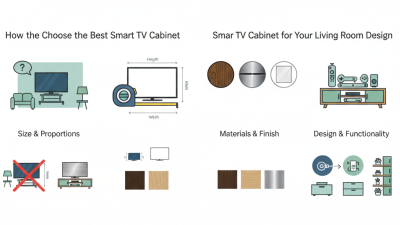
Center-mount TV stands suit apartments, media rooms, and compact hospitality spaces. Buyers should match the stand with the screen’s width, weight, and VESA mounting pattern. Measure twice. A 55-inch television may need a different support span than a 65-inch model, even when both use similar brackets. Check height adjustment, swivel range, cable openings, and rear clearance before ordering. “Universal” does not always mean compatible.

Material choice affects stability, appearance, and shipping risk. Powder-coated steel usually provides strong central support and resists surface wear. Solid wood offers warmth but can expand in humid climates. Engineered wood lowers costs, yet edge sealing deserves close inspection. Ask suppliers for load tests, material details, and anti-tip instructions. Certification requirements vary by destination. Request relevant safety documentation, test reports, and packaging specifications for each market. Paperwork matters.

Calculate the full landed cost, not only the factory price. Include freight, import charges, assembly hardware, inspection fees, and possible replacement parts. In practical sourcing checks, poorly protected corners often create hidden losses. Strong packaging may cost more initially. It can reduce damage claims later. Warranty terms should explain coverage, response time, and spare-part availability. I still question very low prices; they may reflect thinner steel, weaker fasteners, or limited testing. A small sample order can expose these weaknesses before a larger purchase.